Cargo shipping guides
 1
1
Cargo details check
Your responsibilityCheck the description, pieces, weight, volume and dimensions. If the parameters have changed, update the form to match the measurements.
 2
2
Document preparation
Your responsibilityPrepare a document that confirms your identity.
If handing over cargo on behalf of another person or company, prepare a power of attorney.
 3
3
Printing the request with its QR code
Your responsibilityAfter booking, print the shipper request with the electronic queue QR code from your account. If a courier delivers the cargo, give them the request and prepared documents.
 4
4
Cargo preparation
Your responsibilityCargo must be dry, clean and safe to move, without leaks, loose contents or access to the contents.
 5
5
Cargo delivery to the terminal
Your responsibilityBring the prepared cargo and documents to the terminal. See the address, drop-off location and arrival deadline below.
- Entrance and drop-off area
- Cargo terminal dispatch; outbound cargo warehouse

 6
6
Label collection and cargo labelling
Your responsibilityCollect printed transport labels from dispatch. At the outbound warehouse, attach a label to each piece of cargo.
 7
7
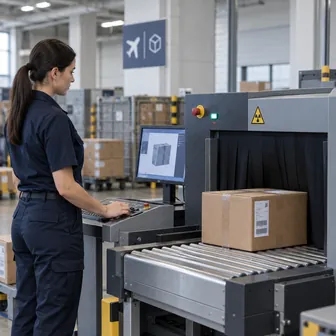
Electronic queue and handover for screening
Your responsibilityScan the request QR code at the electronic queue kiosk in the outbound warehouse. Watch the information screen and place your cargo on the X-ray scanner when called.
 8
8
Cargo screening
We’ll take care of itTransport security staff will screen the cargo, attach a screening sticker to each piece and record clearance in the terminal system. No stamp on the paper request is needed.
 9
9
Measurements and air waybill preparation
We’ll take care of itTerminal staff will record the actual cargo weight and volume in the system. After handover, the booking system will automatically create the air waybill and send it to dispatch for printing.
 10
10
Air waybill signing and copy collection
Your responsibilityReturn to dispatch after handing over the cargo, sign the air waybill and collect the shipper copy. This completes the drop-off process.
 11
11
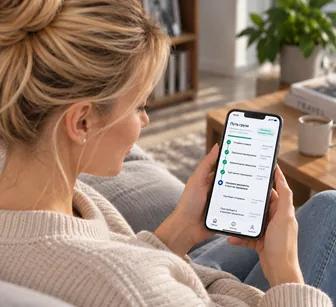
Shipment tracking
After acceptance, processing continues without your participation. Status updates appear in your account.